Free AI background remover online.
Remove backgrounds from any image in seconds with our advanced object detection AI. 100% automatic, free, and no signup required.
Click to Upload or Drag & Drop
Supports JPG, PNG, and WebP. Max file size 10MB.
Original Image
Background Removed
The Future of Image Editing: AI-Powered Background Removal
Removing an image background no longer has to begin with manual selection tools. This Free Background Remover is designed to identify a prominent subject and create a transparent-background result. As with any automated image tool, review the result carefully around detailed edges such as hair, fur, glass, and shadows.
5 Reasons to Use an AI Background Remover
1. Professional E-commerce Photos
Clean, white, or transparent backgrounds are the standard for Amazon, eBay, and Shopify. Increase your sales by making your products stand out.
2. Perfect Profile Pictures
Create professional LinkedIn headshots or fun social media avatars by replacing messy backgrounds with clean gradients or solid colors.
3. Graphic Design Speed
Designers can save hours of manual masking. Extract subjects instantly to use in posters, banners, and social media graphics.
4. Presentation Impact
Make your PowerPoint or Keynote slides look professional by removing distracting backgrounds from your images and icons.
5. Marketing Materials
Easily create marketing assets for newsletters, ads, and brochures without needing a professional photo studio.
How Our Object Detection AI Works
Our tool isn't just a simple color filter. It uses a Deep Convolutional Neural Network trained on millions of images. Here's the technical breakdown in simple terms:
- Subject Identification: The AI first scans the image to find the "salient" object—the part of the image a human eye would naturally focus on.
- Edge Detection: It then performs high-frequency analysis to find the exact boundaries, even for difficult areas like hair, fur, or semi-transparent fabrics.
- Alpha Matting: Finally, it calculates the transparency level for every pixel on the edge to ensure a smooth transition without "halos" or jagged edges.
Before & After Examples
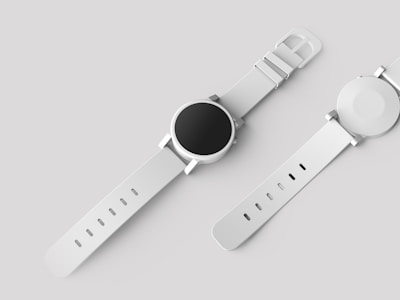
Product Photography: Perfect for Shopify stores.

Portraits: Handles hair and fine details.

Complex Objects: Works on cars, furniture, and more.
Toolyfi vs. The Competition
| Feature | Toolyfi | Remove.bg | Adobe Photoshop |
|---|---|---|---|
| Price | $0 (Free) | $0.20+ / image | $20+ / month |
| Signup Required | No | Yes | Yes |
| Full Resolution | ✅ Included | ❌ Paid Only | ✅ Included |
| Processing Time | < 5 Seconds | < 5 Seconds | Manual / AI |
5 Tips for the Best Background Removal Results
- Good Lighting: Ensure your subject is well-lit and has a clear contrast with the background.
- High Resolution: Start with the highest quality image possible for the cleanest edges.
- Avoid Busy Backgrounds: While our AI is powerful, extremely cluttered backgrounds can sometimes lead to minor artifacts.
- Focus: Make sure your subject is in sharp focus. Blurry edges are harder for the AI to define.
- Contrast: A subject that is a completely different color than the background will always yield the best results.